CAD Nexus
Our CAD Nexus solution offers a complete electrical and mechanical CAD engine. A person can build a full control-panel design in it, and an agent can do the same work the same way. It checks the design as it is drawn, energizes it on a simulated test bench, and walks the shop through the build one wire at a time. A qualified engineer reviews and approves every set.
At a glance
- 2D layout, 3D model, schematics and a full drawing set
- A test bench that energizes the circuit, with probes, a meter and a scope
- Step-by-step build, wire and test for the shop
In our own company. Our engineers and our agents both design panels in it. The examples here are fictional customers.
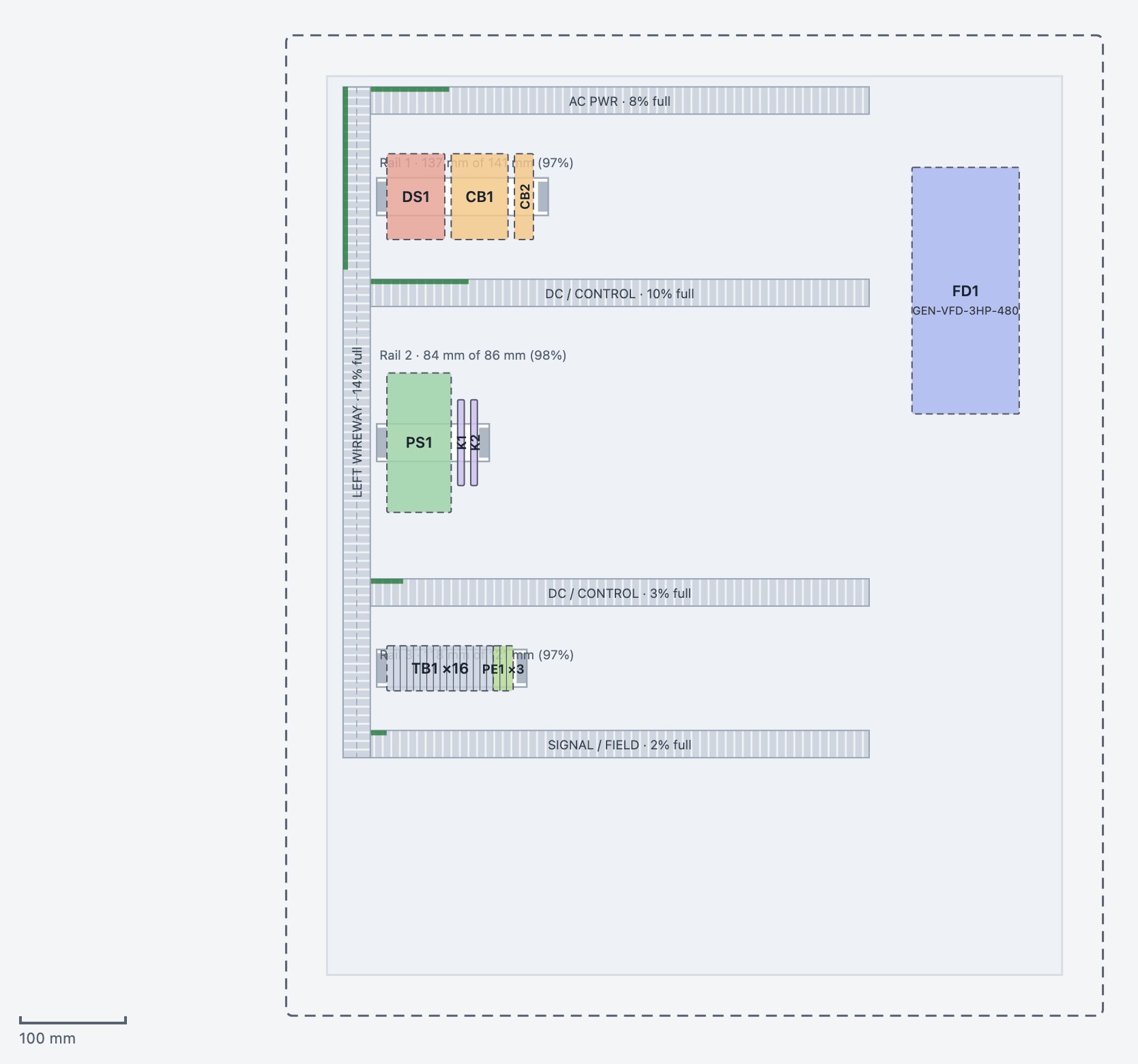
Panel layout, checked as you build
Devices on the backpanel with rail fill, wire duct fill, clearances and heat load checked live. The guide on the right lists what is left before release.
Real CAD Nexus screens on example designs for fictional customers. Select a picture to enlarge it.
Probes, a meter and a scope on the live circuit
On the test bench the pointer is the red lead. Point at a pin to read it and click to hold the lead there. The scope draws the waveform at the probes, and shows the current as the load starts and settles.
- Volts, amps, ohms, continuity, watts and hertz, with hold and min / max
- Clamp a wire to read its current
- A scope for timing, start-up inrush and the waveform at the probes
Illustration of the test bench meter and scope. The values are simulated.
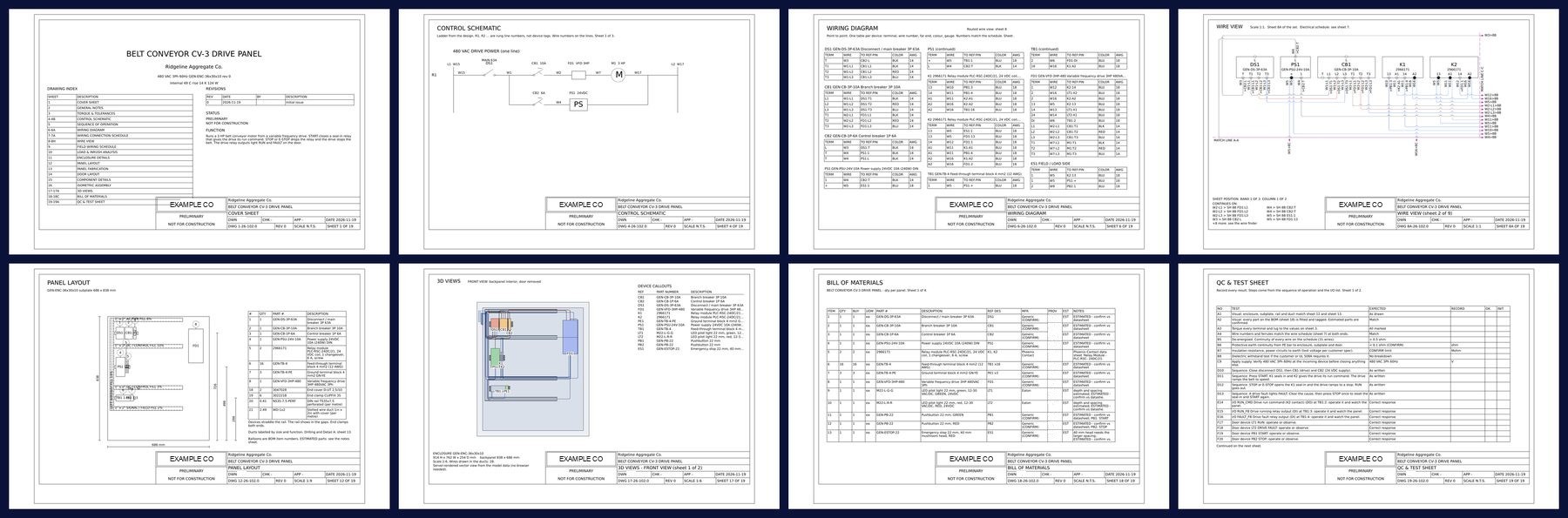
Real sheets from an example set for a fictional customer. A qualified engineer reviews and approves every set.
Design it, energize it, build it.
Electrical design
2D panel and door layout, ladder schematics and a wire view, kept in step with each other as the design changes.
38 automated checks
Rail fill, wire duct fill, clearances, heat load and ratings are tested against the drawing standard as you build.
3D model
The same design as a model you can turn, with the wires routed through the duct.
Test bench
Wire the design up and energize it before a part is ordered: supply, load, inputs and timing.
Probes, meter and scope
A multimeter with red and black leads, clamp amps, ohms and continuity, and a scope for timing, inrush and the waveform at the probes.
Try a wiring mistake
Leave a wire off or pick a common mistake, and see what the circuit does differently.
Step-by-step build
One card per wire: from and to, gauge and color, the voltage to expect and how to meter it. Tick each one off as wired and checked.
Mechanical design
Parametric parts and assemblies such as brackets, plates, covers, standoffs and nameplates, with a printability check.
The finished set
PDF and DXF: schematics, wiring diagrams, layouts, bill of materials and a QC test sheet, with a one-file viewer for the shop.
See CAD Nexus on your own work.
Request a 45-minute call. We show it running in our company and what it would look like in yours.